Before The CMS is technically editable
Pages, plugins, blocks, forms, products, and settings exist, but updates still need workarounds.
CMS Development
We improve WordPress, Shopify, and custom CMS setups with the fields, plugins, templates, integrations, and admin tools your site needs.
Give your team a clear, dependable editing experience.
Start with the CMS task that slows the team down. Complete technical spec not required.
Pages, plugins, blocks, forms, products, and settings exist, but updates still need workarounds.
Fields, reusable blocks, admin tools, integrations, and custom functionality fit the site.
FROM THE PORTFOLIO
A custom WordPress plugin that scans public domain security signals and turns the results into visitor insight and lead-generation data.
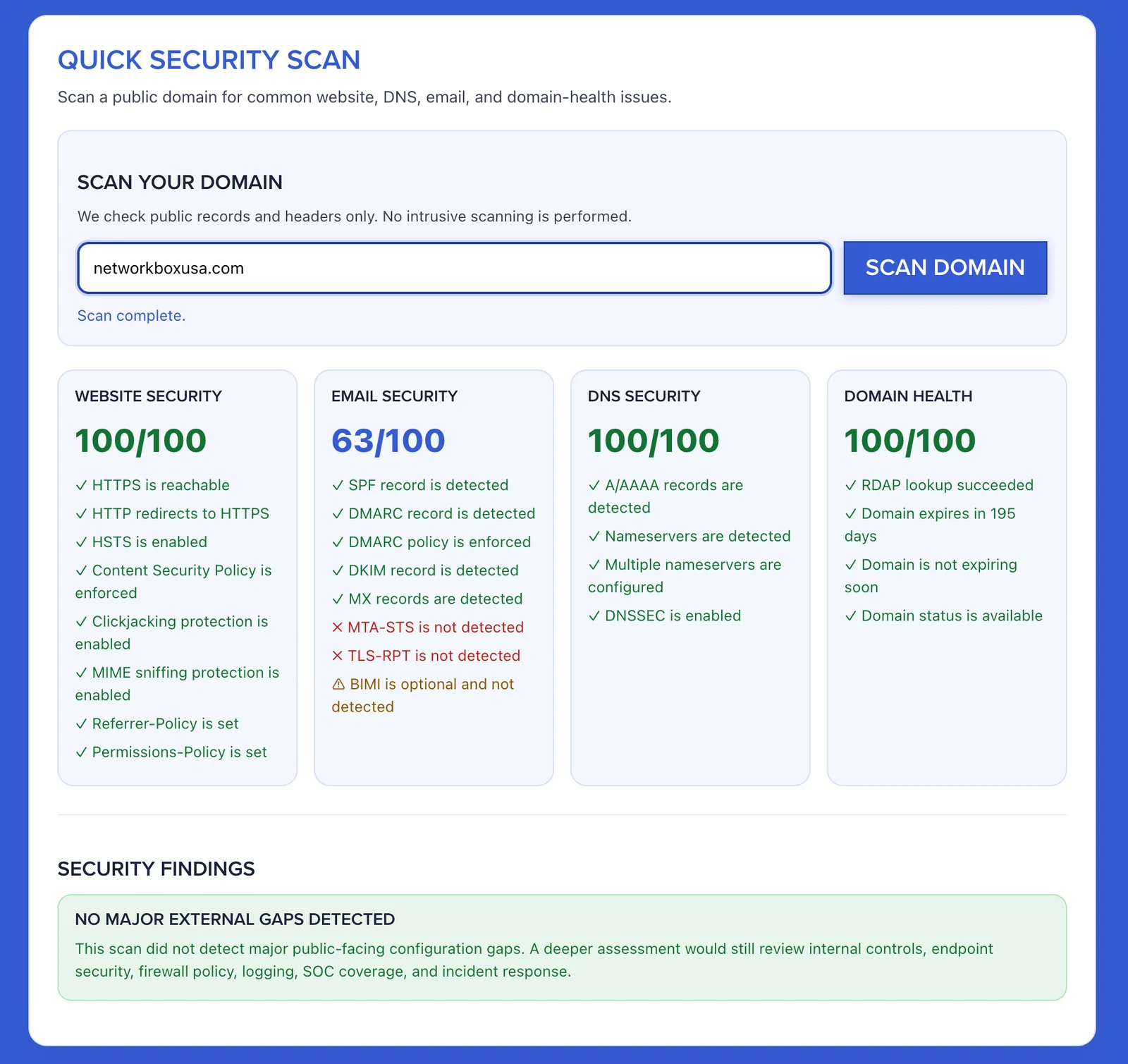 Security Scanner Plugin
 When To Bring In 589 Software
Bring us in when editing, plugins, integrations, or maintenance make the site harder to own.
Several plugins split one workflow and make ownership unclear.
589 helps: Move the business-specific piece into focused custom code.
Updates require fragile layouts, hidden settings, or developer help.
589 helps: Create fields, reusable blocks, templates, and editor guardrails.
Important functionality is tied to the active theme.
589 helps: Move durable business logic into plugins or integrations and keep the theme focused on presentation.
Forms, products, leads, payments, CRMs, or email tools need to share data.
589 helps: Build integrations with clear ownership, error handling, and admin visibility.
Old plugins, heavy builders, snippets, scripts, and content growth add brittleness.
589 helps: Audit, remove overlap, improve performance, document, and rebuild only what needs it.
Common Examples
Common CMS problems usually look like one of these.
Business-specific logic, fewer hidden dependencies.
Structured fields, templates, and safer content updates.
Leads, orders, members, events, products, APIs, and cleaner rules.
Shopify, WooCommerce, pricing, fulfillment, and product logic.
Plugin audit, template cleanup, documentation, and stabilization.
What Work May Be Included
Content modeling, custom code, integrations, cleanup, and support chosen around how the site is managed.
How We Shape The Project
No need to know the fix yet. We turn the CMS problem into project scope.
Good Fit
Start Where You Are
Tell us what the site uses now, what feels difficult to manage, and what the finished CMS work should make easier.
Talk Through a CMS Project